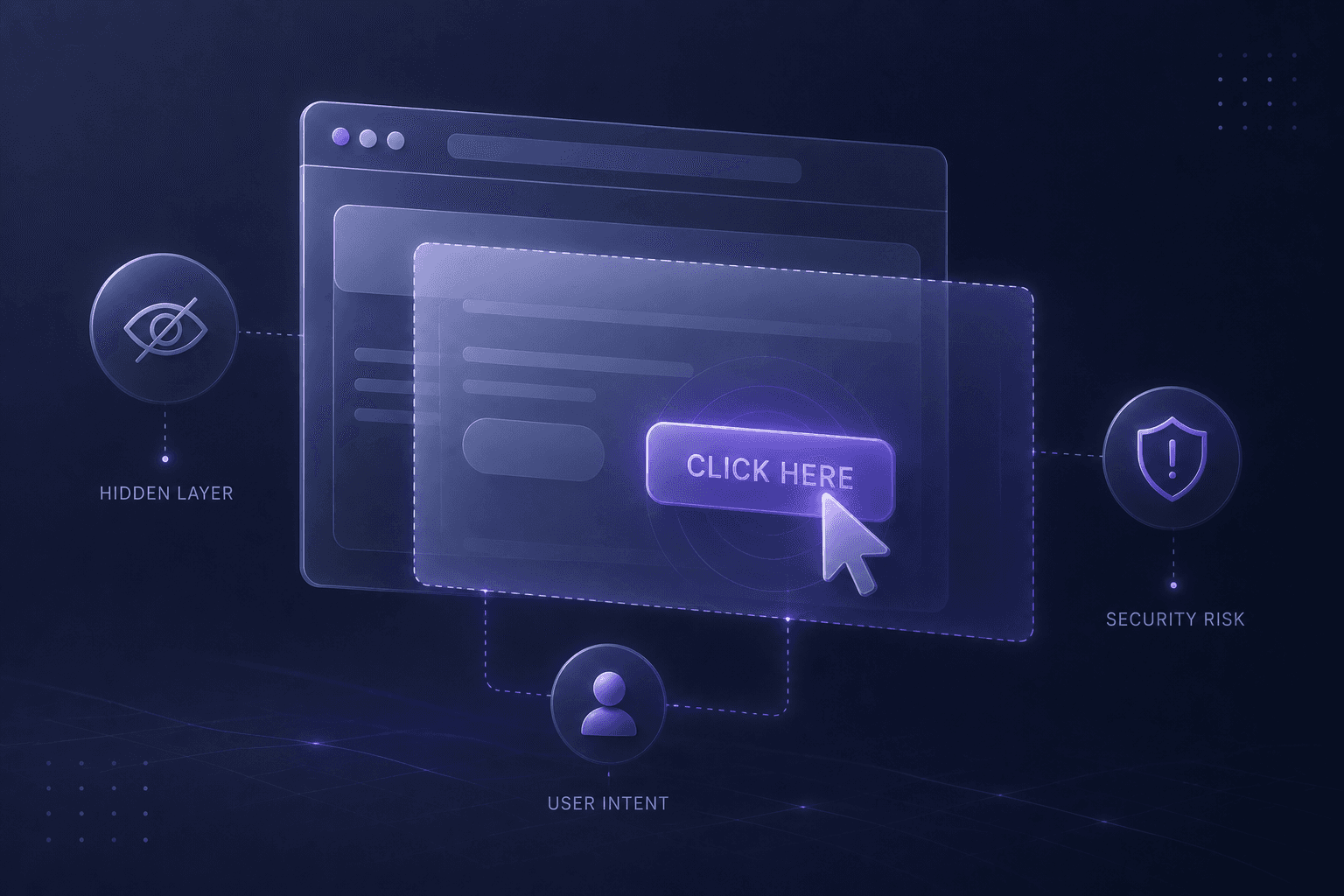

Clickjacking is a powerful example of how interface design decisions can unintentionally become a security risk. It shows that what users see, and what they believe they are clicking - can be manipulated without them ever realizing it.
What is Clickjacking?
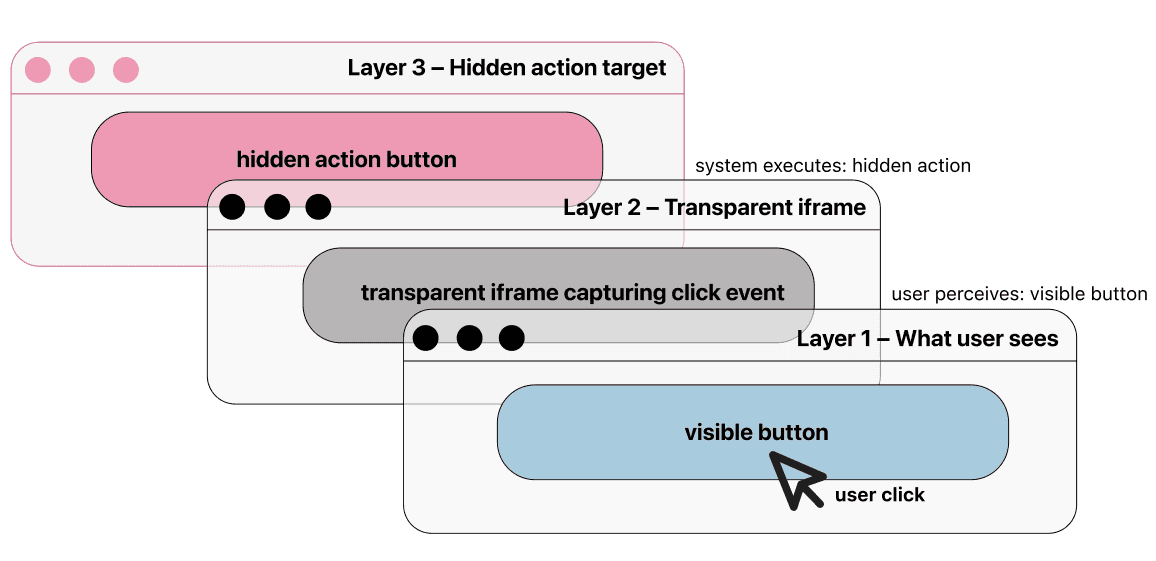
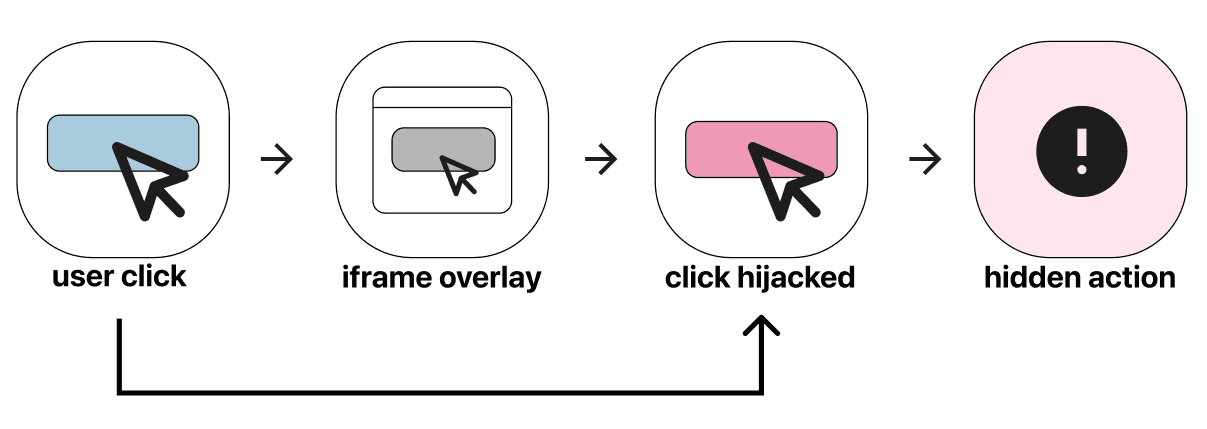
Clickjacking (UI redress attack) is a technique where a malicious actor tricks a user into clicking something different from what they perceive. The user thinks they are performing one action. In reality, they trigger another.
No malware.
No brute force.
Just manipulation of visual layers.
Why Clickjacking Is a UX Problem
Clickjacking exploits three UX assumptions:
Users trust what they see.
Users assume interface elements are truthful representations of system behavior.
Users do not inspect layers or hidden elements.
The Human Risk Dimension
Clickjacking is not just about technology. It is about cognitive bias.
Users:
Rely on recognition over recall
Act quickly under time pressure
Follow visual cues instinctively
Trust consistent interface patterns
When an interface is manipulated, users behave rationally based on what they perceive - but the perception has been engineered. This is where UX and security intersect. Protection mechanisms must account for human psychology, not just system integrity.
Where Design Makes the Difference
Design can either reduce or amplify clickjacking risk. Security cannot rely solely on backend headers. It must consider how actions are perceived.
Risk Amplifiers:
Hidden iframes
Invisible overlays
Lack of visual confirmation
Ambiguous call-to-action language
No feedback after high-risk actions
Risk Reducers:
Clear contextual confirmations
Action transparency
Delayed high-risk execution
Explicit visual feedback loops
Secure framing policies (X-Frame-Options, CSP)
Trust signaling elements
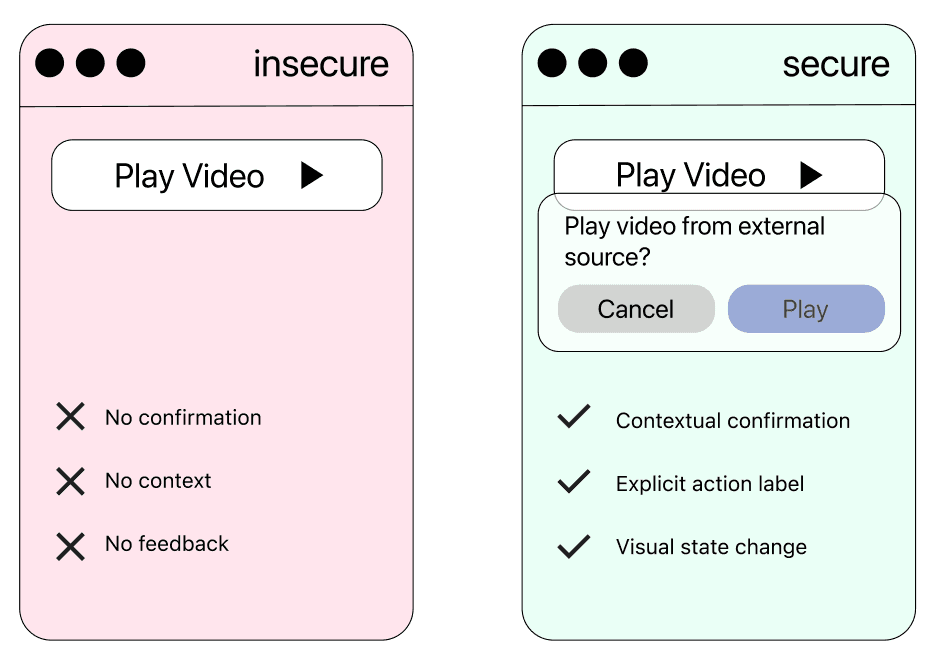
Clickjacking as a Design Responsibility
Interface structure itself can be exploited. Security is not only code. Security is also: layout decisions, interaction flows, microcopy, visual clarity, layer management, state visibility. If users cannot clearly see what they are authorizing, design has failed. Clickjacking is not prevented by design alone - but design can significantly reduce the risk and impact of UI redress attacks. Effective protection requires collaboration between security engineers, front-end developers, and UX designers. Before considering UX-level mitigations, applications must implement proper framing protections.
Prevent iframe embedding
Modern browsers support Content Security Policy (CSP): Content-Security-Policy: frame-ancestors 'none';
or, if embedding within the same origin is required: Content-Security-Policy: frame-ancestors 'self';
For broader compatibility: X-Frame-Options: DENY
or: X-Frame-Options: SAMEORIGIN
These headers prevent malicious sites from loading the application inside a hidden iframe.
Strengthen session isolation
Use SameSite cookies to limit cross-site request context: Set-Cookie: sessionId=abc123; Secure; HttpOnly; SameSite=Lax;
or: SameSite=Strict;
Frame-busting (secondary protection)
While not a primary defense, JavaScript frame detection can add an extra layer. This should not replace CSP, but can complement it:
if (window.top !== window.self) {
 window.top.location = window.self.location;
}
Require deliberate user input for destructive actions
Example pattern: Type DELETE to confirm account removal. Clickjacking relies on a single hijacked click. Requiring typed input breaks that model.
Separate high-risk and low-risk actions visually
Avoid:
[Delete] [Cancel]
Better: separate layout, different visual weight, clear color distinction, additional confirmation layer
Make authorization intent explicit
Users must clearly see: what they are authorizing, for whom, for how much, with what consequence. Security depends on visibility of intent.
Design friction proportional to risk
Excess friction reduces usability. Insufficient friction increases vulnerability. The goal is intelligent friction: context-aware confirmation, progressive trust mechanisms, risk-based interaction thresholds. Security-aware UX is not about making systems harder to use. It is about making intent visible and manipulation difficult.
Final Principle: Separate Click From Consequence
Clickjacking exploits systems that treat a single click as final authorization. When perception and execution are clearly aligned, the attack surface narrows significantly.
User Intent → Verification → Execution
Conclusion
Clickjacking teaches us something critical: Security vulnerabilities often emerge at the intersection of technology and human perception. When interface design becomes opaque, ambiguous, or overly optimized for speed, it opens the door to manipulation. Design is not neutral. It can protect, or it can expose.
The future of secure digital products lies in merging UX thinking with security thinking.
Continue Reading