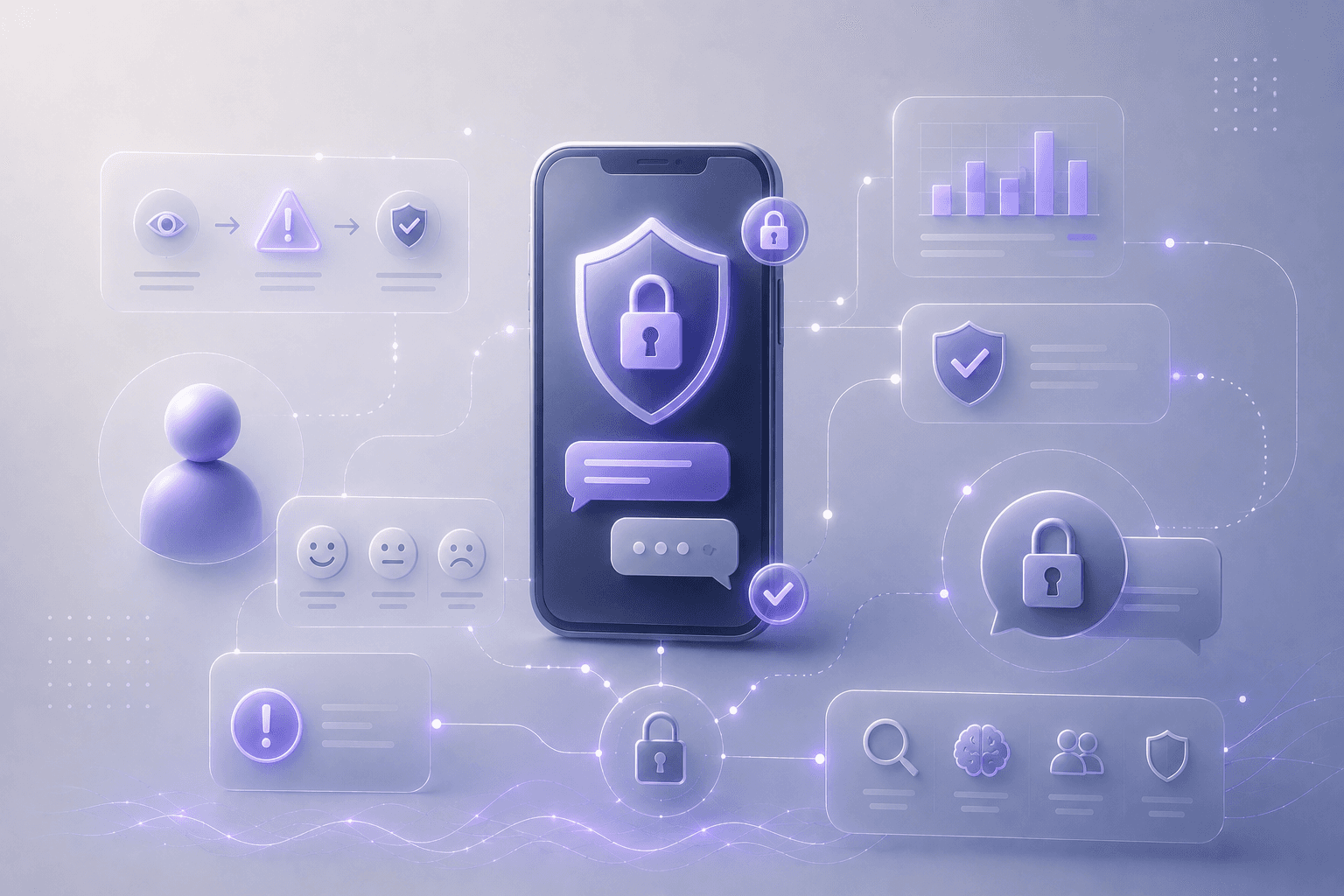

In encrypted messaging apps, key change and verification alerts interrupt conversations at crucial moments. These warnings are designed to protect users - but do they actually support informed decisions?
Project Overview
This research project explores how non-technical users understand and respond to security warnings in end-to-end encrypted messaging applications.
The focus was placed on key change and verification alerts, which are critical moments where users must decide whether to trust a conversation or take a security action.
The goal of the study was to understand how users interpret these warnings, what influences their decisions, and which elements of the interface support or hinder trust.
Research Goal
To understand how users perceive security warnings in encrypted messaging and how UX/UI design can support informed decision-making without requiring technical knowledge.
Research Questions
Do users understand what a “security code change” means?
What emotions do security warnings trigger?
What makes users ignore or postpone security actions?
Participants
18 non-technical users
Ages: 22-50
No formal background in cyber security
Methods
Contextual Interview/ Usability Testing
Participants were shown a two versions of security warning (a code change alert, options to verify now or later and a brief explanation of the risk) in an encrypted conversation and asked to describe what they will do or what they believed was happening.
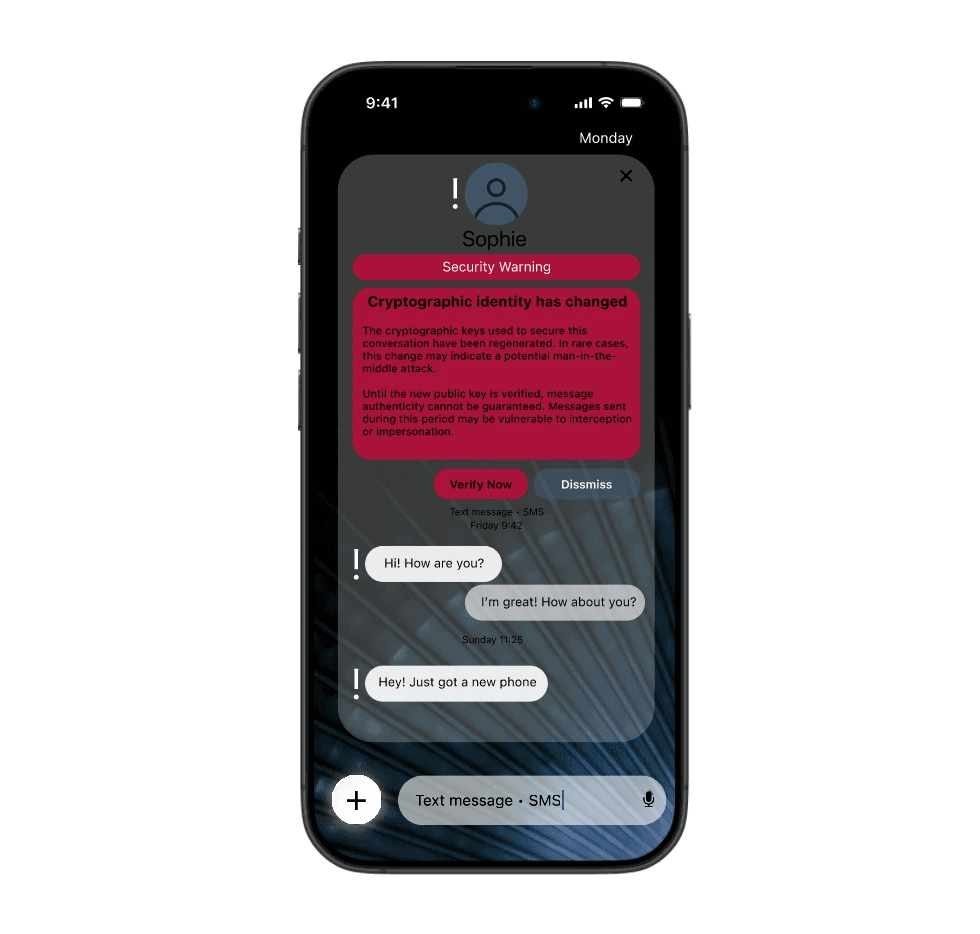
Version A: technical language, colors that may scare the user
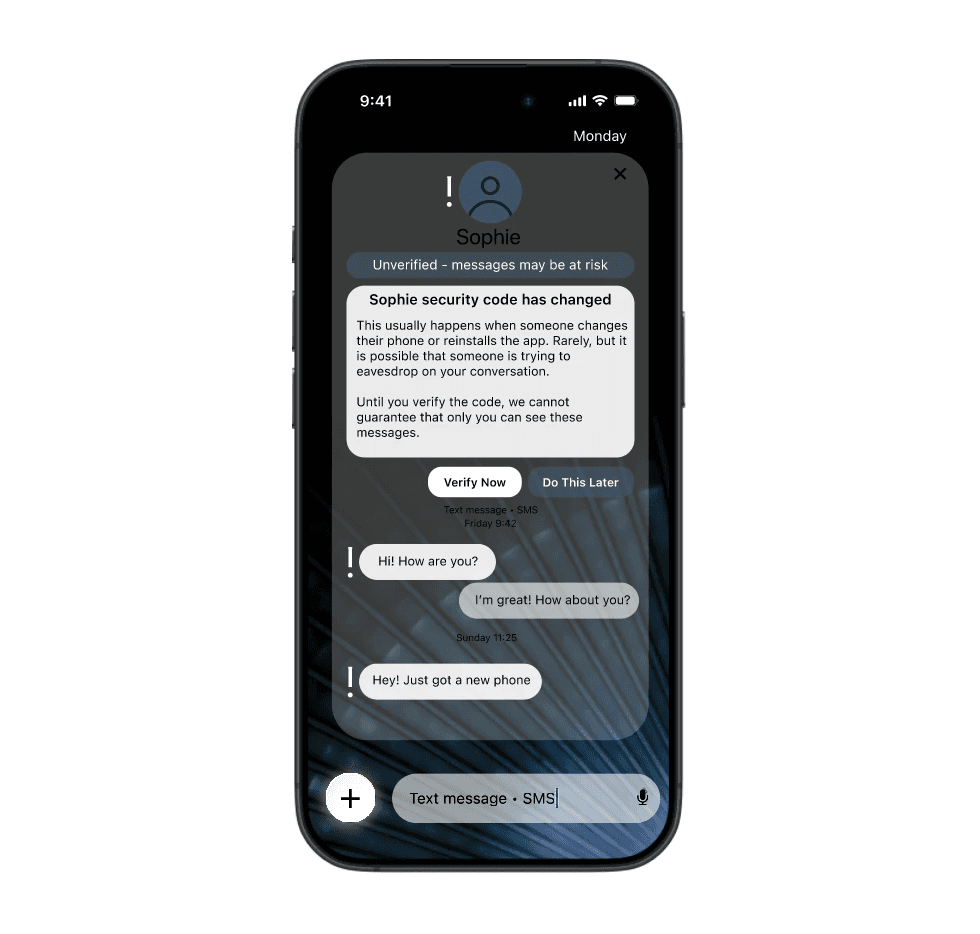
Version B: human-readable explanation focused on consequences, calm colors
Sample questions:
What do you think this message is telling you?
Example responses:
Version A: “It looks like a serious error, it's stressful and scary, it looks like a cyber attack has already happened”
Version B: “It looks like sth serious can happen if I don't verify it”
Does this feel serious or optional?
Example responses:
Version A: “more serious, I feel like someone has already hacked into my phone”
Version B: “I feel like I have to respond, but I can do it when I have a free moment”
Do you prefer version A or version B?
Example responses:
Version A: “I don't like it, it's too stressful”
Verion B: “It’s fine”
What would you do after seeing this security warning?
Action | Number of Users |
|---|---|
Verify immediately | 6 |
Do it later | 10 |
Ignore | 2 |
The table shows that most users choose to postpone verification rather than act immediately. This indicates that security warnings are often perceived as important but not urgent, highlighting the need for clearer risk communication and effort framing. However, the user feels that they have a choice, which does not discourage them from continuing to use the application, as the message is not overwhelming, but also does not disappear, the user decides to take action to verify.
Key Findings
1. Limited Understanding of Technical Terms
Most participants did not understand what a “security code” or “key change” meant.
Example responses:
“I don’t really know what a security code is, is it like a password?”
2. Technical Language and Strong Visual Signals Increased Anxiety, Not Action
Warnings that combined highly technical language with strong, high-contrast colors tended to trigger confusion or mild anxiety rather than motivating users to take action. While these warnings appeared serious, they did not clearly communicate what the user should do next or why the action mattered.
Example responses:
“This feels scary, I don’t know what I’m supposed to do”
3. Human-Readable Explanations Improved Trust
When the warning explained why the change happened and what it could mean, users felt more confident.
Example responses:
“If it’s about making sure it’s really them, I’d probably verify.”
4. Effort Perception Strongly Influenced Decisions
Users were more likely to postpone verification if it sounded time-consuming.
Example responses:
“If it takes more than a minute, I’d skip it.”
Core Insights
Users avoid security actions when they don’t understand the risk or effort involved.
Users need to understand:
Why this matters.
What happens if they ignore it.
How much effort the action requires.
Design implications based on the research:
Use plain language instead of technical terms.
Make security actions feel manageable, not overwhelming.
Keep security visible without blocking the primary task.
Continue Reading